

Ask a developer about vibe coding and you’ll get real enthusiasm. Ask someone in IT the same question and you’ll usually get a pause before the answer.
Both reactions make sense. Describing an app and watching AI write it is genuinely new. What happens to that code five minutes later is a different question, and it’s one most vibe coding tools never answer. I’ve sat in enough of these conversations to notice the pattern: the excitement and the hesitation are almost never about the same five minutes.
Alaio Vibecode was built to handle the part that usually gets skipped. It’s an AI-powered application builder integrated directly into the Bitrix24 ecosystem. As a vibe coding platform, it works the way you’d hope: describe the tool you need the way you’d explain it to a colleague, and AI writes the working code. Vibecode hosts it and connects it to your Bitrix24 account with whatever permissions you grant, and anything it creates starts life already inside a company’s CRM records, tasks, chats, and documents, governed by the same access rules that already apply to everything else in the workspace.
Nothing needs to move. And what people call enterprise vibe coding usually comes down to that: not headcount, but whether the software can be trusted with something that matters, whether the team behind it has five people or five thousand.
What Teams Are Actually Building
Most of the useful projects start with a habit, not a request. Something a team has been doing manually for so long that nobody questions it anymore, until someone finally does.
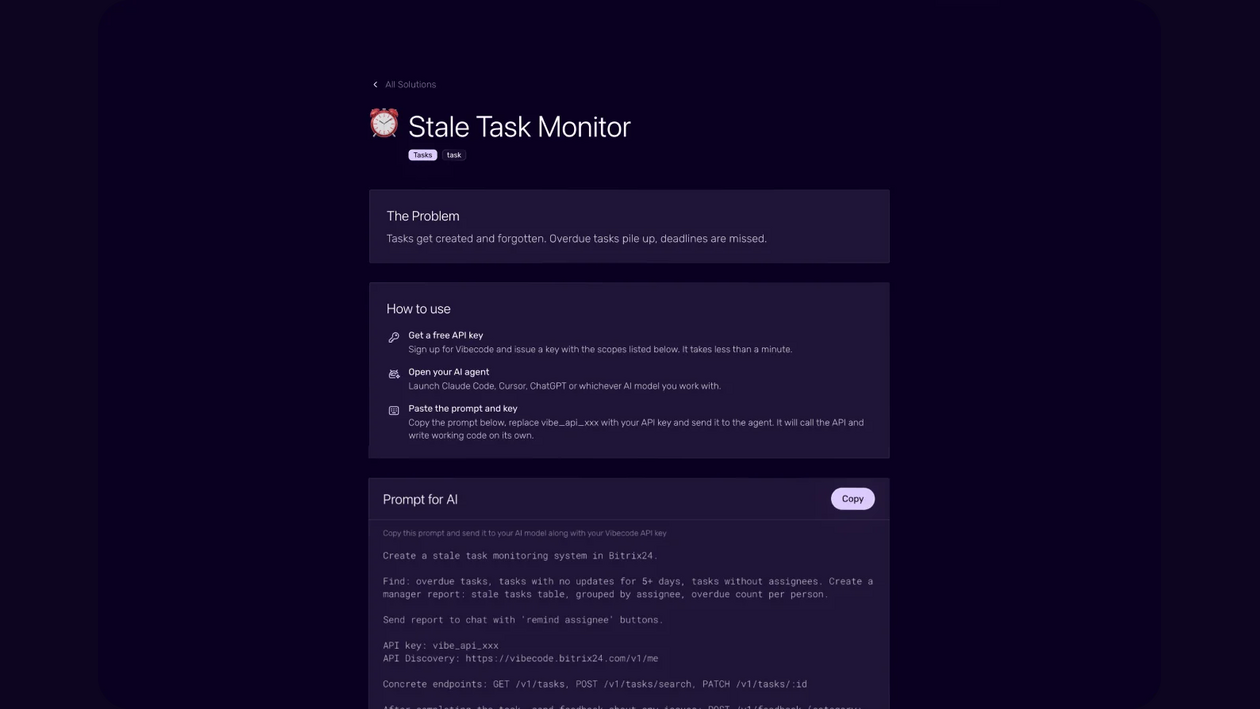
A sales team might judge its opportunities by a formula that lives entirely in one manager’s head, weighting account types or engagement patterns no generic stage-and-activity model was built to reflect. Left alone, that formula stays exactly there. Turned into a tool with Vibecode, it plugs straight into the CRM data that’s already in place. Alaio Vibecode’s prompt library even ships a version of this already built, a Lead Scoring Board that sorts deals by exactly this kind of custom logic.
A support queue with the same five questions on repeat is a different problem than it looks like. It’s not that the answers are hard. It’s that nobody’s ever counted how often each one comes up, which is the only way to know which one is worth automating first. A ready-made Vibecode prompt, Ticket Deflection Radar, is built around precisely that.
Neither of these is a report stapled onto existing software. Each one takes data and workflows that are already sitting inside Bitrix24 and shapes a tool around how one team uses them, something a standalone AI builder starting from nothing can’t do. That’s the real difference between a custom business app and a generic one: the good ones only make sense inside the company that asked for them, in the workspace that already held the raw material.
Five Questions Worth Asking Before You Build
A short filter usually saves more time than it costs.
Does a setting, an automation, an AI assistant, or a ready-made app already handle this well? If so, that’s almost always the faster path. What’s the one task this needs to solve, not the general area it touches? How much time does it save each week, and for how many people, not just in theory? Where does the data go once an AI model is involved, and who besides the intended user can see it? And once it exists, does anyone actually want a tool, or just a faster way to get an answer?
That last one gets skipped more often than you’d think. I’ve watched teams build something nobody opens twice, because nobody stopped to ask it first.
When Not to Build Something New
The instinct to build isn’t always the right one, and any platform worth trusting should say so plainly.
A condition-and-action rule already covers most routine CRM actions, so that’s usually the faster answer. Anything with approval steps, from a document sign-off to a vacation request routed to a manager, runs through Bitrix24’s workflow automation instead. And if the need is common enough that someone else has already solved it, a ready-made app in the Market tends to beat building from scratch.
Custom building earns its place when none of that applies, when the task is specific enough to one company that nothing standard was ever going to cover it. Once you actually go looking, that list tends to be longer than people expect.
How to Build an Internal Business App With AI
The process starts with a description of what you’re after, no different from explaining a task to a colleague: what the tool should do, what data it needs, who’s going to use it. The agent asks questions where that’s thin, then builds. A simple app can take minutes; anything with more moving parts takes longer, which is fair. Anyone who’d rather not describe a bot from scratch can start with Hermes, the built-in AI agent that’s already connected and can be shaped into almost any role a team needs, a sales assistant one week, an HR helper the next.
Once the app is built, you test it against the real thing, check the logic, check who’s seeing what, and fix anything off in the same conversational way. A first attempt rarely lands perfectly, and that’s fine since fixes take minutes, not a new development cycle. Teams who’d rather work through Claude Code or Codex can drive the whole process from there instead.
Is Vibe Coding Secure Enough for Business Apps?
This is the question that decides whether any of this survives past a pilot. So it’s worth being specific rather than reassuring.
Client data, deals, and messages stay inside the company’s own account. The app reaches them through a secure channel rather than copying them out, and none of it goes to outside parties. Each application runs on a server with no public IP address and no way in from the open internet, the only path is Vibecode’s own internal tunnel. Access runs on revocable keys, while outside services connect through OAuth, with administrators managing permissions and data access centrally.
Most of what worries people about vibe coding security, unclear data access, unwatched servers, credentials sitting somewhere they shouldn’t, gets handled by that environment before a team has to think about it twice.
Hosting, AI Models, and What It Takes to Start
None of this requires assembling infrastructure by hand, which honestly took a minute to appreciate the first time I saw it.
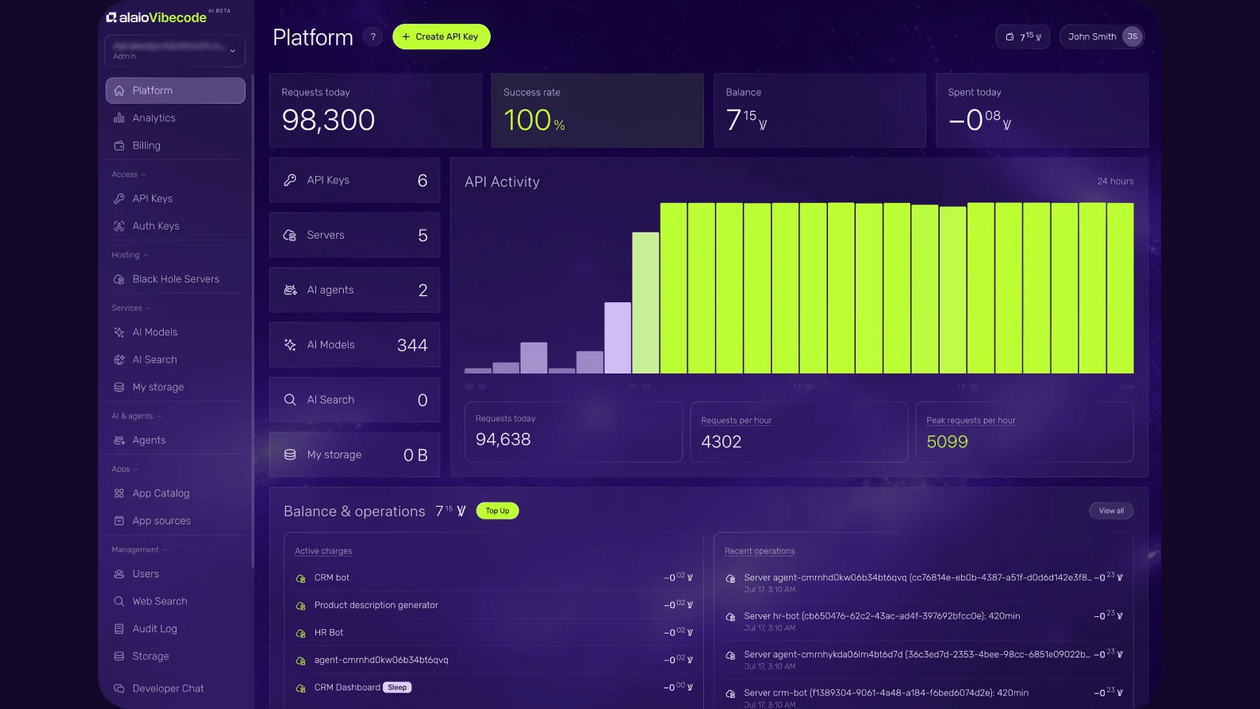
Applications run on Bitrix24’s own Black Hole hosting, and up to 25 of them can share a single server instead of each needing its own. An AI Router connects multiple model providers through one interface, so a company already working with OpenAI or Anthropic can bring its existing key rather than starting over. And every new account starts with enough credit to build something real and see the result firsthand, which beats guessing at a subscription before you’ve built anything.
What a Good Internal Tool Still Looks Like Six Months Later
The real test isn’t the first afternoon. It’s what the thing looks like once nobody’s paying close attention anymore.
A good one is still connected to the same CRM records and tasks it was built around, not exported into some disconnected corner of its own. Someone besides the original builder can open it up and understand it. It’s grown a little, a filter added here, a second team using it there, without a new project or vendor involved. And its permissions have been checked at least once since launch, so it hasn’t quietly turned into the tool nobody remembers approving.
That last part is where building inside a workspace you already have pays off in a way a standalone app never can. Nothing needs to be migrated or re-explained to a new system later, because it was never anywhere else to begin with.
Start With What’s Already on Your List
The best place to start is already sitting on somebody’s desk. The process that never quite fit any tool. The report someone still puts together by hand every week. The question the same person keeps answering in chat because nothing else answers it for them.
Start with the most annoying one, not the biggest one. It’s a smaller bet and a faster way to see what the platform can do.
Open Alaio Vibecode, describe that one thing the way you’d explain it to a colleague, and see what comes back. Not a mockup, not a proposal, an actual working app connected to your Bitrix24 data.
That’s a small enough ask for one afternoon, and usually enough to find out whether the gap that’s been sitting there was ever as hard to close as it looked.
